Let me be honest with you - I built this product because I was frustrated. Every decent AI chatbot tool out there charges you $50, $100, sometimes $300 a month just to let your website answer basic customer questions. That's money flying out the door every single month, forever.
So I built my own. A self-hosted PHP script that you install once on your server and it handles visitor questions automatically using AI - powered by OpenAI or the completely free Groq API. No subscriptions. No data sent to some third-party chatbot platform. Just your website, your server, and your customers getting fast answers.
If you run a small business website, build sites for clients, or sell PHP scripts yourself, this tool is genuinely useful. I know because I use it on my own sites. And now I'm selling it so you can use it too.
The Problem This Solves
Every business with a website gets the same questions over and over again. "What are your hours?" "How do I return something?" "Do you accept PayPal?" "How long does delivery take?"
Your team answers these manually, all day, every day. That's expensive, slow, and honestly - a bit soul-crushing for your support staff. You know the answers never change. Your customers just want a quick reply.
Most businesses solve this by paying for a SaaS chatbot. And the moment you start looking, the prices are wild. Intercom starts at $74/month. Drift is $2,500/month for their AI features. Even the affordable ones like Tidio charge $25–$50/month just for basic AI answers.
My PHP script does the same job. You pay once. It runs on your existing hosting. And your visitors get instant AI answers 24/7 - powered by the exact same technology those expensive tools use.
| Feature | SaaS Chatbots | This Script |
|---|---|---|
| Price | $25–$300/month forever | One-time $29 |
| Hosting | Their servers | Your own server |
| Data privacy | Sent to 3rd party | Stays on your server |
| Shared hosting support | Usually no | Yes - no Composer needed |
| White-label for clients | Usually no | Yes (Agency license) |
| Works after you stop paying | No - shuts down | Yes - you own it |
| Groq free API support | No | Yes - 14,400 req/day free |
How It Works
The logic is actually quite elegant - and it's designed to save you money on AI API costs while still giving visitors fast, accurate answers.
Layer 1 - Smart Keyword Matching (Free)
When a visitor types a question, the system first searches your FAQ database using keyword and similarity matching. If a match is found above the confidence threshold, it returns that answer instantly - no AI API call, no cost, zero delay. This handles the majority of questions.
Layer 2 - AI Fallback (When Needed)
If no FAQ matches well enough, the system sends the top 6 most relevant FAQs as context to the AI (OpenAI GPT or Groq Llama). The AI reads that context and writes a natural, helpful answer - but only from your content. It won't make things up or go off-topic. If it truly can't answer, it shows your WhatsApp or email button so the visitor can reach a human.
What's Included
Full Admin Panel
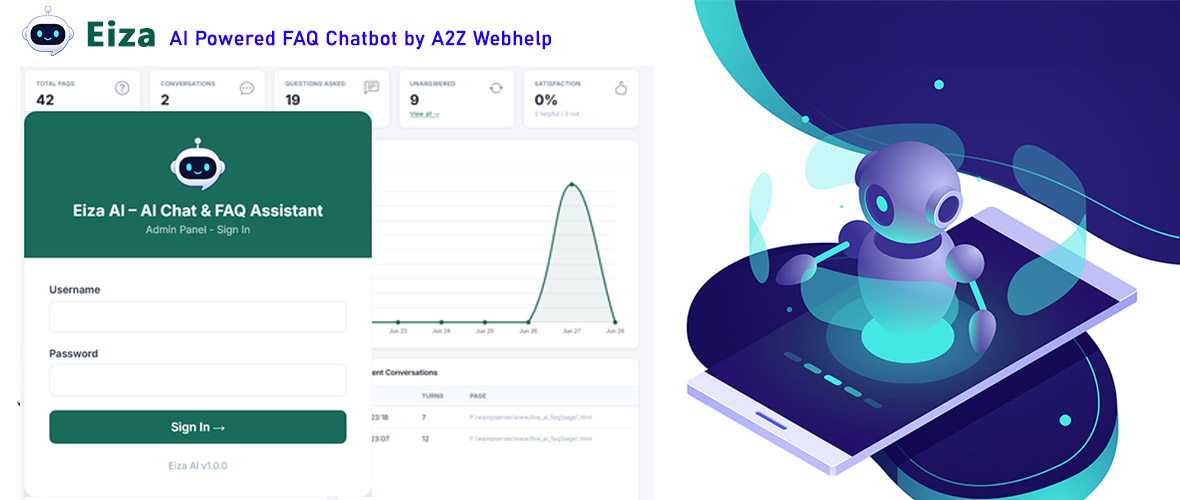
Clean dashboard to manage FAQs, categories, conversations, settings, and embed code - all in one place.
Embeddable Chat Widget
Paste one <script> tag into any website. Works on WordPress, plain HTML, Shopify - anywhere.
Document Upload
Upload TXT knowledge documents. The AI extracts text and uses it to answer questions automatically.
Conversation Analytics
See every chat session, which questions were answered, thumbs up/down ratings, and unanswered questions.
Unanswered Q Tracker
Any question the AI couldn't answer is saved separately. One click converts it into a new FAQ entry.
Email Notifications
Get an email alert when a visitor asks a question your AI can't answer - so nothing falls through the cracks.
Widget Customizer
Change colors, title text, position, quick-reply suggestions - no coding needed, all from the admin panel.
Security Built-in
CSRF protection, PDO prepared statements, encrypted API key storage, rate limiting, and input sanitization.
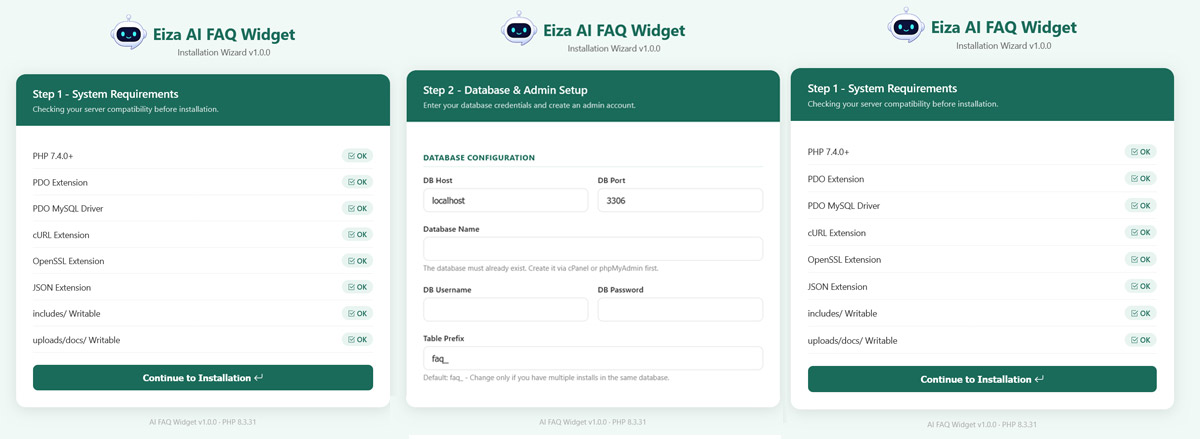
Setup in 5 Minutes
I built this to be as easy to install as possible. You don't need Composer. You don't need any framework. Just PHP and MySQL - the same stuff you've had on your server for years.
-
Upload to your server Upload the eiza_ai folder via FTP or cPanel File Manager. Works in a subfolder or on its own domain.
-
Run the web installer Visit /install/ in your browser. Enter your database details and create your admin account. Takes about 60 seconds.
-
Add your API key Go to Admin → Settings → AI Provider. Choose Groq (free) or OpenAI. Paste your API key and save.
-
Add your FAQs Go to Admin → FAQs → Add FAQ. Add your most common customer questions and answers. Add keywords for better matching.
-
Embed on your website Go to Admin → Embed Widget. Copy the one-line script tag and paste it before </body> on your website. Done.
That's genuinely it. The chat bubble appears on your site, visitors ask questions, and the AI answers them. No complex configuration, no API documentation to read through.
The Embed Code
This is literally everything you paste into your website. One config block + one script tag:
<!-- AI FAQ Widget - paste before </body> -->
<script>
window.AIFAQConfig = {
  apiUrl:      "https://yoursite.com/eiza_ai/api/chat.php",
  title:       "Hi! How can I help you?",
  color:       "#124BA6",
  position:    "bottom-right",
  suggestions: ["What are your hours?", "How do I return?", "Contact support"]
};
</script>
<script src="https://yoursite.com/eiza_ai/assets/js/widget-loader.js" defer></script>
The admin panel generates this automatically - no manual editing needed.
The widget JS is self-contained, under 15KB gzipped, has zero external dependencies, and loads asynchronously so it doesn't slow down your page.
Requirements
- PHP 7.4 or higher (PHP 8.x recommended - works perfectly)
- MySQL 5.7+ or MariaDB 10.3+
- PHP Extensions: PDO, PDO_MySQL, cURL, OpenSSL, JSON (all standard on shared hosting)
- AI API Key: Groq (free) or OpenAI (paid) - buyer provides their own key
- No Composer required - works on any shared hosting plan
- HTTPS recommended for production use
Who Is This For?
Honestly, this script serves two kinds of buyers:
Business owners who want AI support on their site
If you run a shop, clinic, agency, coaching business, restaurant, or any other business that has a website - this handles your repetitive customer questions automatically. Your team stops answering "what are your hours" for the 50th time that week, and your customers get instant answers at 2am when you're asleep.
Developers who build sites for clients
If you build websites for clients, this is an easy upsell. Charge your client $200–$500 to set it up for them, buy the developer license for $79, and keep the difference. Your client gets a professional AI chatbot. You get paid well for a one-day setup job. The Agency license at $119 lets you do this for unlimited clients.
Frequently Asked Questions
A Final Thought
I know there are a lot of PHP scripts out there. Most of them are either overpriced, poorly documented, or they stop working the moment their developer moves on. I've bought enough of them to know the frustration.
This script is something I built for myself first, then cleaned up and packaged properly because I genuinely think it solves a real problem at a fair price. The code is well-organized, the admin panel is clean and usable, and I'm actively using it on my own projects - so it gets maintained.
If you have questions before buying, reach out via the contact page. If you buy it and something doesn't work on your setup, I'll help you get it sorted. That's the kind of product support I'd want if I were buying it.
- Contact Us @ a2zwebhelp.com
Ready to Add AI Support to Your Website?
One-time purchase. No subscriptions. No monthly bills. Just install and it works.