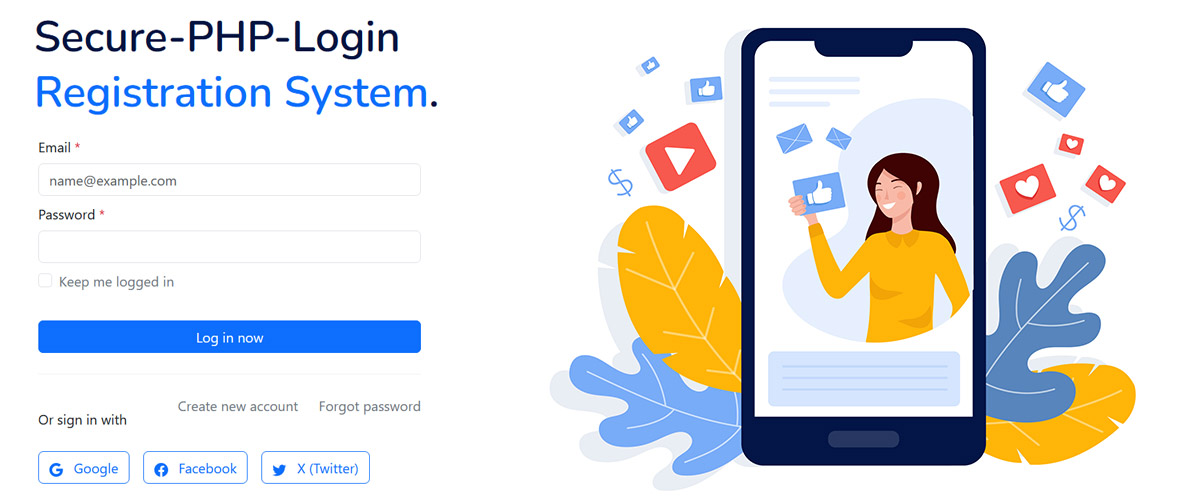
A continuation of the PHP Login System series. This premium add-on extends your existing authentication system with full OAuth 2.0 support for Google, Facebook, and X (Twitter) - including secure account linking and a working live demo.
This is Part 2 of the PHP Login System series. In Part 1, we built a complete authentication system from scratch - registration, login, forgot password, profile management, and change password, all secured with CSRF tokens and bcrypt password hashing.
This add-on builds directly on top of that foundation. It adds a "Sign in with Google", "Continue with Facebook", and "Sign in with X" option to the existing login page, using each provider's OAuth 2.0 flow. New users who sign in through a provider are automatically registered, and existing users with a matching email are seamlessly linked to their social account.
Prerequisite: This add-on assumes you already have the Part 1 PHP Login System installed and working (database, includes/connection.php, login.php, register.php, sessions). If you haven't set that up yet, grab it from Part 1 first.
01 What This Add-on Includes
Here's everything packed into the v2.0 social login add-on:
Sign in with Google
Full OAuth 2.0 Authorization Code flow with Google's identity platform.
Continue with Facebook
Facebook Login via the Graph API, with email and profile picture import.
Sign in with X
X (Twitter) OAuth 2.0 with PKCE - the current required flow for the X API.
Account Linking
Existing email/password accounts are automatically linked to a matching social login.
Avatar Import
Profile pictures from Google/Facebook/X are pulled in and stored on first login.
CSRF-Safe OAuth State
Each OAuth redirect uses a signed state parameter to prevent forged callbacks.
Provider Badges
The profile page shows which providers are linked to the account.
Drop-in Integration
Adds 6 new files and a small DB migration - no rewrite of your existing v1.0 code.
02 Requirements & Developer Accounts
Before installing this add-on, make sure you have the following ready. Each social provider requires you to register a free "app" on their developer platform to get OAuth credentials.
| Requirement | Needed For | Status |
|---|---|---|
| PHP Login System v1.0 | Base authentication system | Required |
| PHP cURL extension | Token exchange & API calls | Required |
| OpenSSL extension | PKCE code challenge (X OAuth) | Required |
| HTTPS domain | OAuth redirect URIs (production) | Recommended |
| Google Cloud Console account | Google OAuth credentials | Free |
| Meta for Developers account | Facebook App ID & Secret | Free |
| X Developer Portal account | X Client ID & Secret | Free tier available |
Most OAuth providers do not allow plain HTTP redirect URIs on live domains (localhost is usually exempted for testing). If you're developing locally, use http://localhost/... for the redirect URI during development, then switch to your HTTPS domain before going live.
03 Updated Folder Structure
This add-on drops six new files into your existing v1.0 project. Nothing in your current structure is removed - only extended.
This add-on uses plain cURL-based OAuth requests - the same approach as the rest of this series.
04 Database Schema
Create a new MySQL database (e.g. login_social_media) and import the SQL file included in the ZIP. Below is the schema for reference:
DROP TABLE IF EXISTS `users`;
CREATE TABLE IF NOT EXISTS `users` (
  `id` int NOT NULL AUTO_INCREMENT,
  `name` varchar(100) COLLATE utf8mb4_general_ci NOT NULL,
  `email` varchar(250) COLLATE utf8mb4_general_ci NOT NULL,
  `password` varchar(250) COLLATE utf8mb4_general_ci NOT NULL,
  `social_id` varchar(250) COLLATE utf8mb4_general_ci NOT NULL,
  `profile_photo` text COLLATE utf8mb4_general_ci NOT NULL,
  `login_type` varchar(20) COLLATE utf8mb4_general_ci NOT NULL,
  `email_verified` int NOT NULL,
  `created_at` datetime NOT NULL,
  `status` int NOT NULL DEFAULT '0',
  PRIMARY KEY (`id`)
) ENGINE=InnoDB DEFAULT CHARSET=utf8mb4 COLLATE=utf8mb4_general_ci;
COMMIT;
05 The Three Providers at a Glance
Each provider uses OAuth 2.0, but with small differences in flow and the data they return. Here's a quick comparison before we dive into setup:
Standard Authorization Code flow. Returns verified email, name, and profile photo via the userinfo endpoint.
Authorization Code flow via Graph API. Email is optional - some users decline to share it.
X (Twitter)
OAuth 2.0 with mandatory PKCE. Email is often unavailable unless the app is granted elevated access.
Important: Because X frequently does not return an email address, the account-linking logic falls back to matching on provider_uid for X logins rather than email. Users who sign in with X for the first time are registered using their X handle as a placeholder identity.
Creating OAuth credentials for each provider - Google Cloud Console, Meta for Developers, and the X Developer Portal - involves several dashboard screens and settings that are far easier to follow with screenshots than as plain text.
Included with your purchase: A complete, illustrated step-by-step guide for creating Google, Facebook, and X (Twitter) OAuth credentials - covering everything from setting up a developer account to copying your Client ID and Client Secret - is provided in the documentation/ folder inside the downloadable ZIP. Buy the add-on on Payhip to get instant access to the full guide along with the source code.
PHP Tutorial Series
6 Conclusion
With this add-on installed, your PHP Login System now supports modern, frictionless sign-in via Google, Facebook, and X - without changing how the rest of the application handles sessions and authentication. The account-linking logic ensures users never end up with duplicate accounts, and the OAuth flows are hardened with state verification and PKCE.
Try the live demo to see the full flow in action, and grab the complete source code below to add it to your own project.