User authentication is the backbone of almost every web application. In this tutorial, I'll walk you through a complete PHP login system that I've built from scratch - and you can download the full source code for free. This is not just a basic login/register page; it's a production-ready authentication module with proper security baked in from the start.
By the end of this guide, you'll have a fully working system with registration, login, forgot password (with email reset token), user profile management, and change password - all protected with CSRF tokens, password hashing, and session management.
What makes this different: Every page in this system follows real-world security practices - no plain-text passwords, no unvalidated tokens, no unprotected forms. This is the kind of code you can actually use in production.
01 What's Included
Here's a quick overview of every feature packed into this system:
User Registration
Sign-up form with validation, duplicate email check, and hashed password storage.
Secure Login
Login with email + password, session management, and brute-force awareness.
Forgot Password
Sends a time-limited reset link to the registered email via PHPMailer.
User Profile
View and update profile details - name, email, and other fields.
Change Password
Authenticated users can change their password with current password verification.
CSRF Protection
Every form includes a CSRF token to prevent cross-site request forgery attacks.
Password Hashing
Passwords stored using PHP's encryptIt() with openssl_encrypt.
Secure Logout
Session destruction with redirect to prevent back-button re-access.
02 Requirements
Before you download and set up this system, make sure your server or local environment meets the following requirements:
| Requirement | Minimum Version | Status |
|---|---|---|
| PHP | 8.0 or higher | Required |
| MySQL / MariaDB | 5.7 / 10.3 or higher | Required |
| Web Server | Apache / Nginx | Required |
| PHPMailer | 6.x (included) | Required (for email) |
| Bootstrap | 5.3 (via CDN) | Included |
| SMTP Server / Gmail | Any SMTP | For email features |
You can use XAMPP, Laragon, or any shared hosting that supports PHP 8+ and MySQL. PHPMailer is already bundled inside the phpmailer/ folder - no Composer needed.
03 Folder Structure
After extracting the downloaded ZIP file, you'll find the following structure. Every file has a specific, purposeful role - nothing is bloated.
04 Database Setup
Create a new MySQL database (e.g., login_system) and import the SQL file included in the ZIP. Below is the schema for reference:
-- Database: `login_system`
CREATE DATABASE IF NOT EXISTS `login_system` DEFAULT CHARACTER SET utf8 COLLATE utf8_unicode_ci;
USE `login_system`;
--
-- Table structure for table `register`
DROP TABLE IF EXISTS `register`;
CREATE TABLE `register` (
  `id` int(11) NOT NULL,
  `full_name` varchar(50) NOT NULL,
  `phone` varchar(15) NOT NULL,
  `email` varchar(50) NOT NULL,
  `password` varchar(255) NOT NULL,
  `created_on` datetime NOT NULL,
  `status` int(11) NOT NULL DEFAULT '1'
) ENGINE=InnoDB DEFAULT CHARSET=utf8mb4;

-- Indexes for table `register`
ALTER TABLE `register`
  ADD PRIMARY KEY (`id`);
-- AUTO_INCREMENT for table `register`

ALTER TABLE `register`
  MODIFY `id` int(11) NOT NULL AUTO_INCREMENT;
COMMIT;
05 Database Connection
The includes/connection.php file handles the database connection using MySQLi with prepared-statement–friendly helper functions. Open the file and update your credentials:
<?php
// Database Configuration
define('DB_HOST', 'localhost');
define('DB_NAME', 'login_system');
define('DB_USER', 'root');
define('DB_PASS', '');

// Application Settings
define('APP_NAME', 'LoginSystem');
define('APP_VERSION', '1.0.0');
define('TIMEZONE', 'Asia/Kolkata');

// Set timezone
date_default_timezone_set(TIMEZONE);

function db_connect(){
	static $conn;
	$servername = DB_HOST;
	$username   = DB_USER;
	$password   = DB_PASS;
	$dbname     = DB_NAME;
	mysqli_report(MYSQLI_REPORT_ERROR | MYSQLI_REPORT_STRICT);

	// Create connection
	$conn = mysqli_connect($servername, $username, $password, $dbname);

	// Check connection
	if (mysqli_connect_errno()) {
		die("Connection failed: " . mysqli_connect_error());
	}
	return $conn;
}
$connect = db_connect();

function db_query($query)
{
    $connection = db_connect();
    $result = mysqli_prepare($connection, $query);
    return $result;
}

function db_query_last_id($stmt)
{
    $last_id = mysqli_stmt_insert_id($stmt);
    return $last_id;
}

function db_error($stmt)
{
    $connection = db_connect();
    return mysqli_stmt_error(mysqli_prepare($connection, $stmt));
}

function db_close($stmt)
{
    $connection = db_connect();
    mysqli_stmt_close(mysqli_prepare($connection, $stmt));

}
?>
06 CSRF Token Protection
Every form in this system is protected against Cross-Site Request Forgery (CSRF) attacks. A random token is generated per session and embedded as a hidden field in every form. On submission, the server validates the token before processing.
How CSRF tokens are generated
//CSRF Security
if (!isset($_SESSION['token'])) {
$token = md5(uniqid(rand(), true));
$_SESSION['token'] = $token;
$_SESSION['token_time'] = time();
} else {
$token = $_SESSION['token'];
}
You will get this code in function.php file.
How to use in a form
<type="hidden" name="csrf" value="<?php print $_SESSION['token'] ?? ''; ?>">
07 User Registration
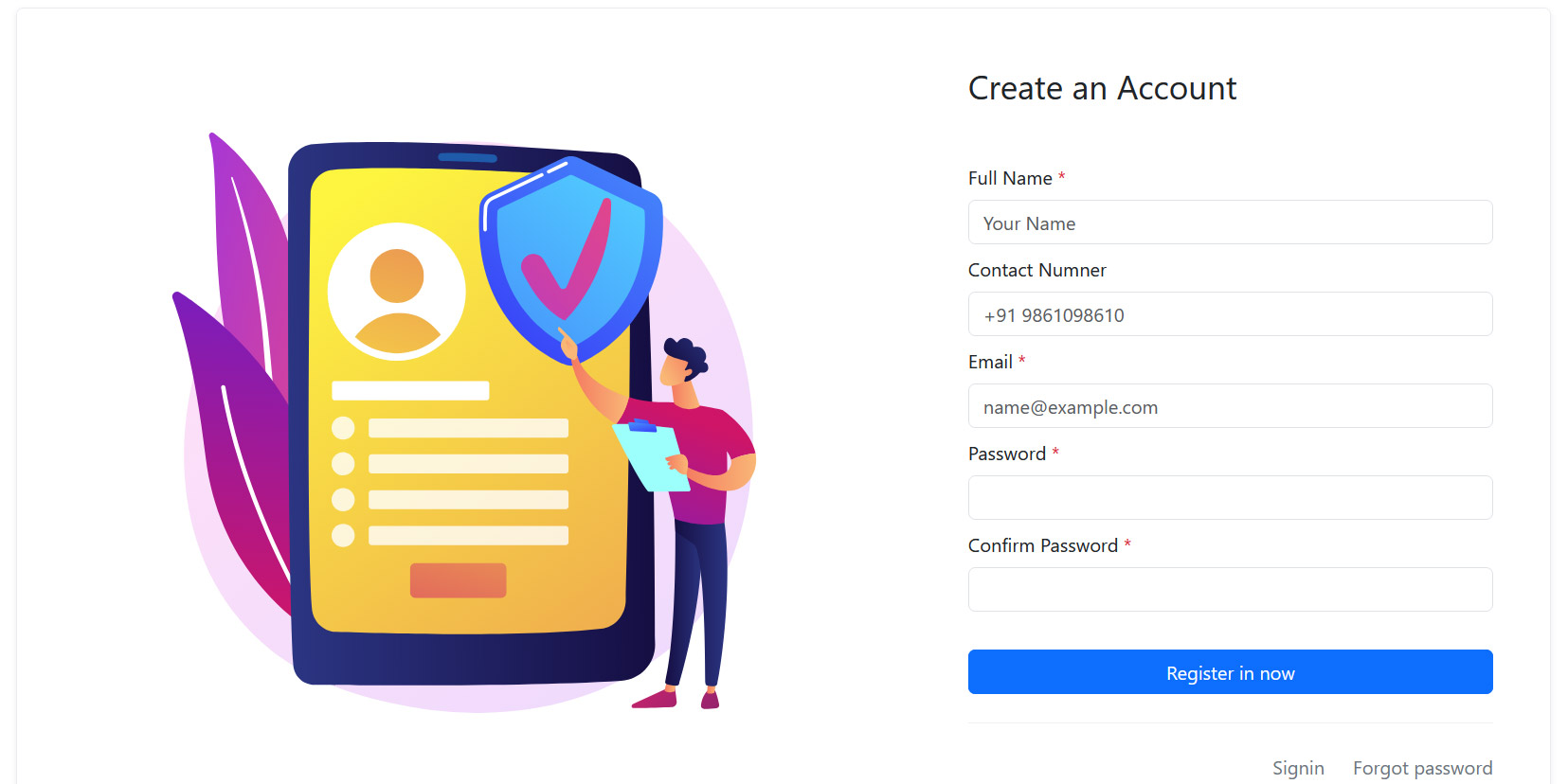
The register.php page handles new user sign-ups. It validates the input, checks for duplicate email addresses, hashes the password with encryptIt() (user define function), and stores the user in the database.
Key security steps in registration
- Client-side validation of name, email, and password fields
- Duplicate email check with a AJAX
encryptIt($password)- never plain text- CSRF token validated before any database operation
- Error messages that don't reveal whether an email exists (prevents enumeration)
08 User Login
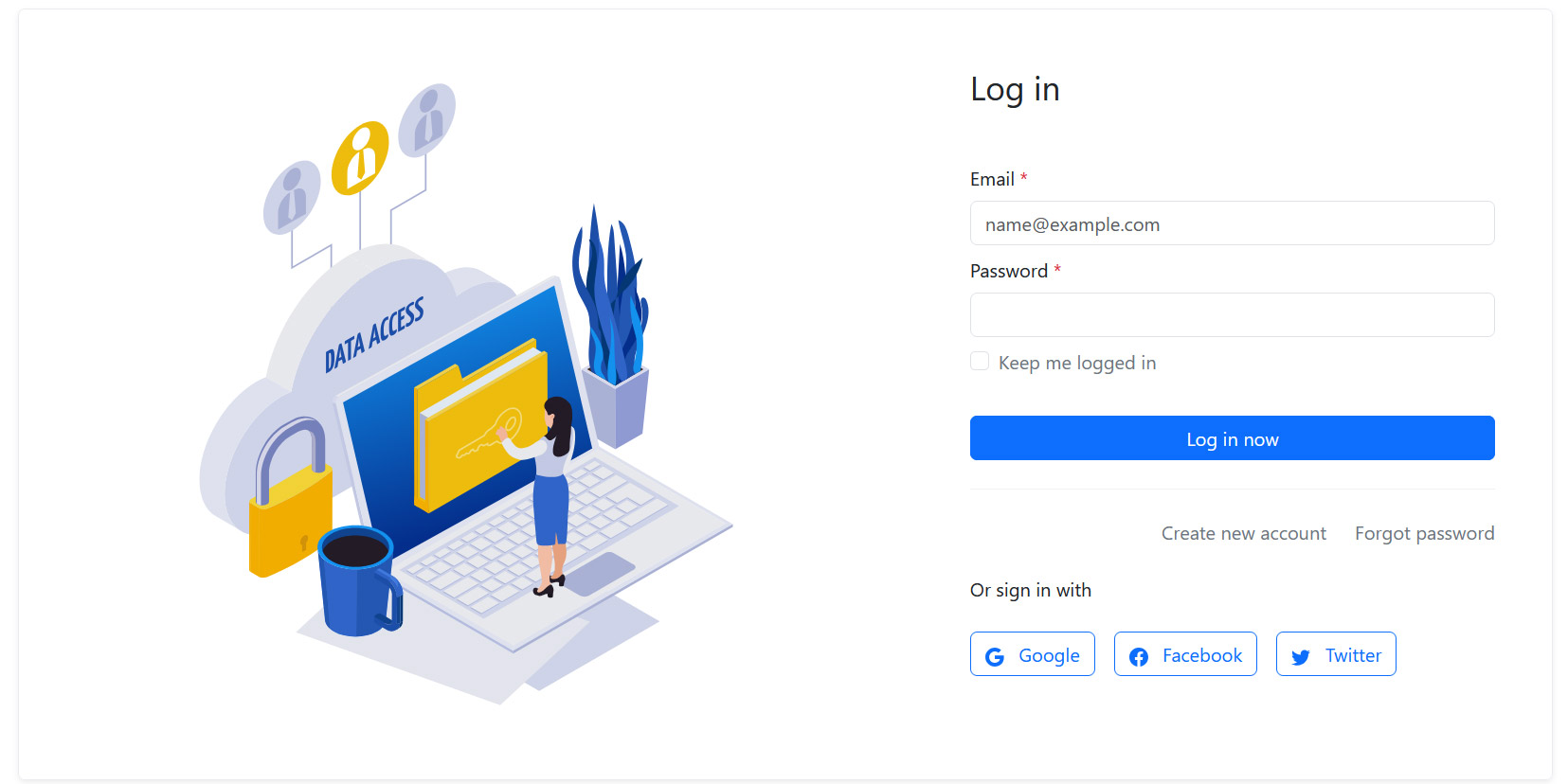
The login.php page authenticates users by looking up the email, verifying the bcrypt hash with encryptIt(), and starting a secure PHP session. Already-logged-in users are redirected immediately.
Session variables set on login
$_SESSION['user_id']- the user's database ID$_SESSION['user_name']- the user's display name$_SESSION['user_email']- email address
09 Forgot Password (Email Reset)
This is often the trickiest part of any auth system to get right. Here's how it works in this project:
User enters their email
The forgot-password.php form validates the email and checks if it exists in the database.
Reset email sent via PHPMailer
PHPMailer sends an HTML email with a reset link containing the token and email as URL parameters.
User clicks the link → update_password.php
Reset password form open and user can enter the new password and conform password.
10 User Profile (myprofile.php)
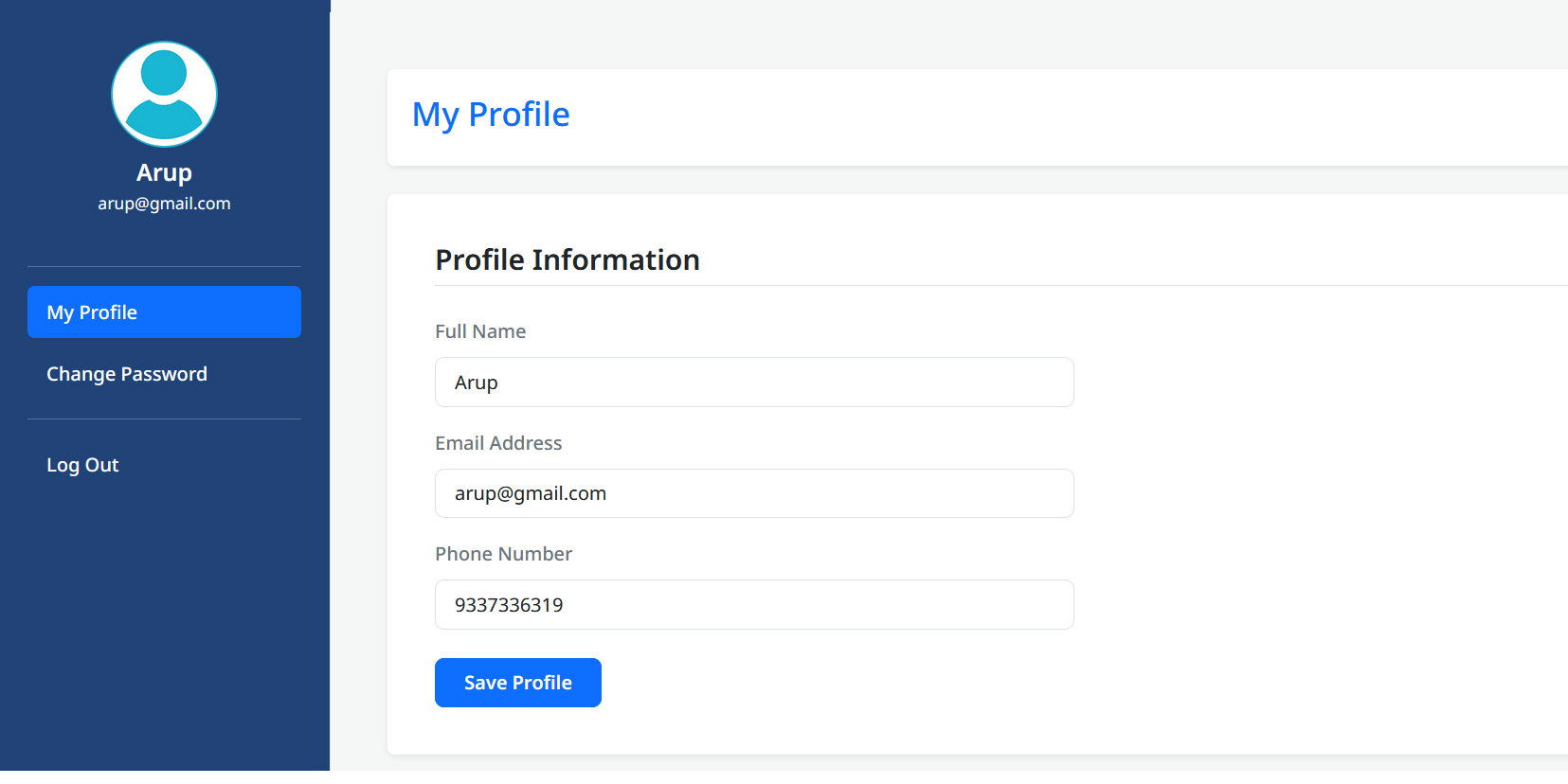
Once logged in, users can view and update their profile information. The page is session-guarded - unauthenticated visitors are redirected to login.php immediately.
11 Change Password
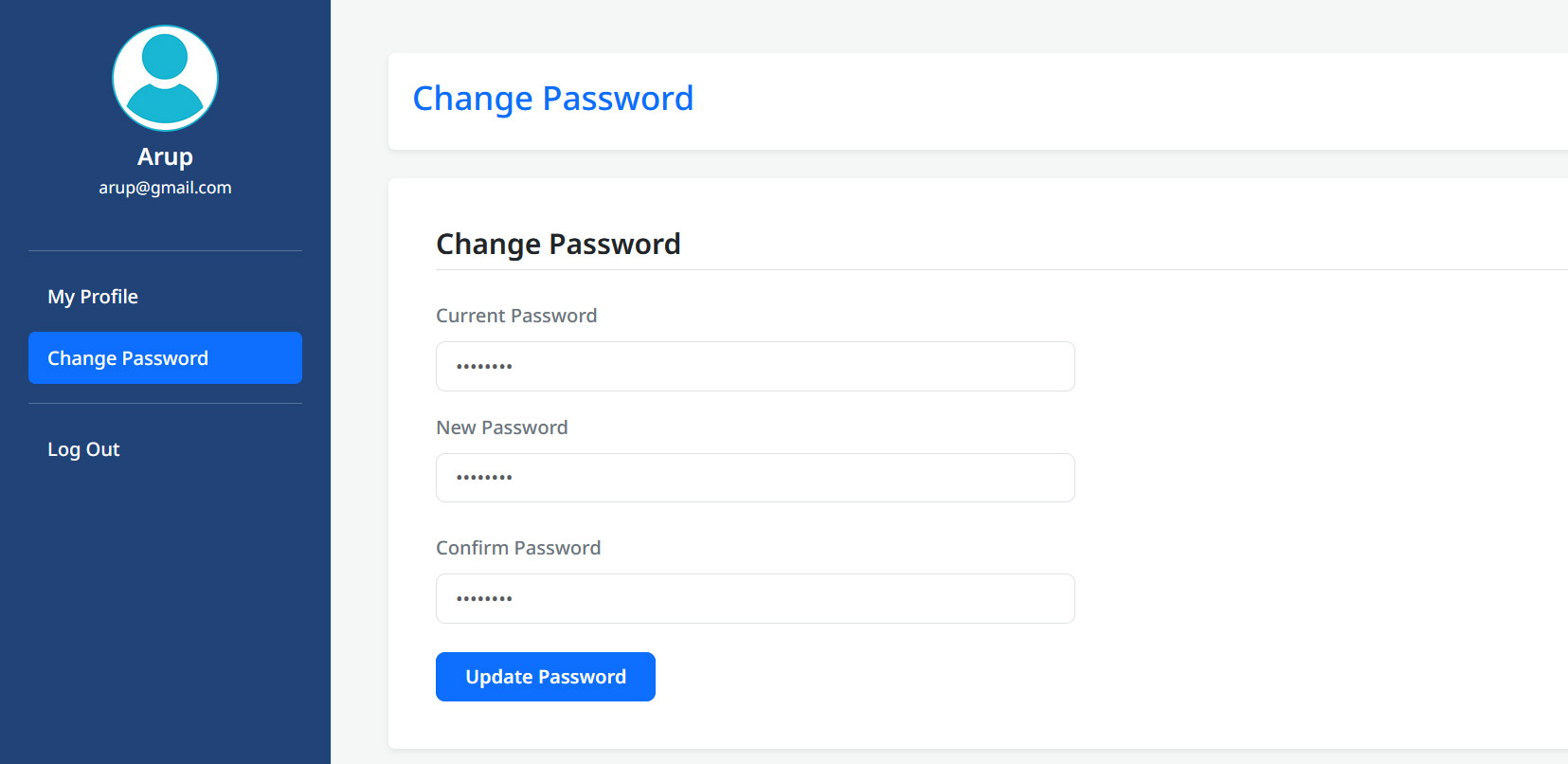
Authenticated users can change their password from change-password.php. The system requires the current password before allowing a change - this prevents someone from changing the password if they accidentally left the browser unlocked.
12 Logout (logout.php)
The logout process is simple but must be done correctly - session must be fully destroyed, not just unset.
<?php
include("includes/connection.php");
session_regenerate_id();
unset($_SESSION['user_id']);
unset($_SESSION['user_name']);
unset($_SESSION['user_email']);
unset($_SESSION['phone']);
session_unset();
header('location:'.SITEURL.'/login.php');
exit;
?>
13 Step-by-Step Installation Guide
Follow these steps to get the system running on your local machine or live server:
Download & Extract the ZIP
Click the download button above, extract the ZIP, and place the folder in your web root (e.g., htdocs/php-login-system/ for XAMPP).
Create the Database
Open phpMyAdmin (or your MySQL client), create a new database named login_system, and import the database.sql file from the ZIP.
Configure Database Credentials
Open includes/connection.php and update DB_HOST, DB_USER, DB_PASS, and DB_NAME with your values.
Set Your Site URL
In the forgot password email, the reset link is built from the site base URL. In connection.php file change SITEURL to match your domain.
Open in Browser
Navigate to http://localhost/php-login-system/register.php to create your first account and test the full flow.
That's all there is to it! The system should be fully functional. Test the complete flow: Register → Login → Forgot Password → Reset → Change Password → Logout.
14 What's Coming in Version 2.0
This is Version 1.0 of the PHP Login System. In the next version, I'm planning to add:
- Social Login - Sign in with Google, GitHub, and Facebook using OAuth 2.0
- Remember Me - Persistent login with a secure cookie and DB token
- Login Activity Log - Track IP, device, and login timestamp per user
- Email Verification - Confirm email address after registration before login
- Rate Limiting - Limit failed login attempts per IP to prevent brute force
- 2FA (Two-Factor Authentication) - TOTP-based second factor via an authenticator app
Bookmark this page or follow a2zwebhelp.com on social media to be notified when Version 2.0 with Social Login is published!
PHP Tutorial Series
15 Conclusion
You now have a complete, production-grade PHP authentication system - built from scratch, secured with industry-standard techniques, and ready to drop into any PHP project. Whether you're learning PHP, building a side project, or need a solid auth foundation for a client site, this system has everything you need.
If you found this tutorial useful, please share it with others in your developer community. If you run into any issues setting up the system, drop a comment below - I'll be happy to help.
Get the Full Source Code
Download the complete PHP Login System - Bootstrap 5, PHP 8+, MySQL, PHPMailer. No account required.