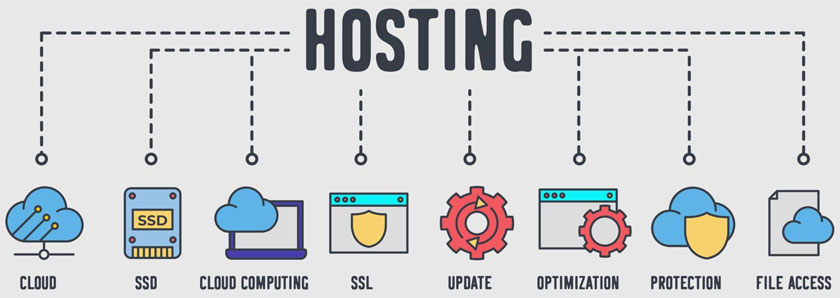
Choosing the right web hosting is one of the most critical decisions you'll make for your website. It directly affects your site's speed, security, uptime and even your Google search rankings - yet most beginners pick a host based on price alone and end up paying for it later..
In 2026, the stakes are higher than ever. Google's Core Web Vitals are now a confirmed ranking factor, meaning a slow or unreliable hosting plan can directly hurt your position in search results. With the global web hosting market valued at over $192 billion and growing at nearly 17% annually, there are more options - and more confusion - than ever before.
This article cuts through that confusion. Whether you're a first-time website owner, a small business, or someone switching hosts, you'll find a clear, jargon-free breakdown of everything you need to know to choose the right web hosting plan with confidence.
What Is Web Hosting?
Before diving into my recommendations, here's what you should evaluate when choosing a WordPress hosting provider:
Think of your website like a house. Your domain name (like yourwebsite.com) is the street address, and your web hosting is the plot of land the house sits on — the physical infrastructure that stores your files and makes them accessible to visitors around the clock.
Web hosting is a service that allows individuals and organizations to publish a website on the internet. Hosting companies store your website's files, databases, images, and scripts on specialized servers and deliver them to users when they enter your domain name into a browser - a process that happens in milliseconds and directly impacts website load speed, user experience, and search engine rankings.
The hosting plan you choose determines how fast that process is, how often your site stays online, and how well it's protected against threats. A great host means you rarely think about it. A bad host means constant headaches.
Why Your Hosting Choice Matters for SEO
Most people think of hosting as a technical detail - but in 2026, it's a core part of your SEO strategy.
Google uses Core Web Vitals as a key ranking factor. These metrics - LCP (Largest Contentful Paint), INP (Interaction to Next Paint), and CLS (Cumulative Layout Shift) - are heavily influenced by your server's response time. A faster host can directly help you rank higher. Additionally, Google penalizes sites without HTTPS, and if the Googlebot crawler frequently finds your site offline, it will begin to crawl it less often.
Here's a quick breakdown of how hosting impacts your Google rankings:
- TTFB (Time to First Byte): The gold standard in 2026 is under 200ms. A slow server response directly hurts your LCP score.
- Uptime: Frequent downtime signals instability to Google's crawlers, reducing indexing frequency.
- SSL Certificate: HTTPS is a confirmed Google ranking signal. Any host without a free SSL is a red flag.
- Server Location: Physical distance between your server and your visitors adds latency. A CDN helps solve this globally.
Research shows that as page load time increases from 1 to 3 seconds, the probability of bounce increases by approximately 32%. Slow websites not only frustrate users but also negatively impact Core Web Vitals, which are now key ranking factors in Google's algorithm.
Types of Web Hosting Explained
One of the biggest sources of confusion for beginners is understanding the different types of web hosting. Here's a plain-English breakdown:
1. Shared Hosting
Best For: Beginners, bloggers, portfolio sites, and low-traffic websites.
Shared hosting is exactly what it sounds like - your website shares a server with many other websites. It's the most affordable option and requires zero technical knowledge.
Pros: Very affordable, beginner-friendly, no server management required.
Cons: When you use shared hosting, you share a server with many people, and this can affect the performance of your website in case of a rush of traffic. Resources like CPU and RAM are divided among all users on the same server.
Typical Cost: $1.79 – $5/month
2. VPS Hosting (Virtual Private Server)
Best For: Growing businesses, developers, and sites outgrowing shared hosting.
A VPS gives you a dedicated slice of a physical server — your own allocated resources that aren't shared with other users. VPS hosting provides the dedicated resources of a hosting solution within a virtual environment. In 2026, VPS hosting is actively utilized by small ventures or companies because of the combination of affordability with performance.
Pros: More control, better performance than shared hosting, scalable.
Cons: Requires some technical knowledge; more expensive than shared hosting.
Typical Cost: $10 – $60/month
Cloud Hosting
Best For: Growing websites, eCommerce stores, and businesses that need flexibility.
Cloud hosting distributes your website across multiple servers, and a single server is not used. This ensures that the site performs well and loads faster. If one server fails, another takes over automatically — making it far more resilient than traditional hosting.
Pros: Excellent uptime, scalable on demand, great for traffic spikes.
Cons: : Can be harder to predict monthly costs with pay-as-you-go pricing.
Typical Cost: $10 – $100+/month
Dedicated Hosting
Best For: Large businesses, high-traffic websites, and mission-critical applications.
With dedicated hosting, you rent an entire physical server exclusively for your website. It's the most powerful and most expensive option.
Pros: Maximum performance, full control, no sharing of any kind.
Cons: Expensive; requires significant technical expertise to manage.
Typical Cost: $100 – $600+/month
Managed WordPress Hosting
Best For: WordPress users who want performance without the technical headaches.
Managed WordPress hosting is a specialized hosting environment where the provider handles all technical aspects of running WordPress — automatic updates, security patches, backups, caching, and performance optimization.
Managed WordPress hosting offloads all technical maintenance, freeing you to focus on design and content. It is often best for beginners because it reduces maintenance and usually runs faster.
Pros: Optimized for WordPress, faster performance, expert WP support.
Cons: Usually more expensive than generic shared hosting.
Typical Cost: $15 – $100+/month
Read More About Shared Hosting vs VPS Hosting
10 Key Factors to Consider When Choosing a Web Host
1. Speed & Performance
Website speed is not a luxury — it is a core requirement. Your host's hardware and software are the biggest factors in how fast your site loads. Modern hosts use SSD (Solid State Drive) storage, which is dramatically faster than old-school HDD spinning disks, with NVMe SSDs being an even faster, more premium option.
What to look for:
- SSD or NVMe storage
- Server-level caching built in
- CDN (Content Delivery Network) included
- TTFB consistently under 200ms
- LiteSpeed or Nginx server software
2. Uptime Guarantee
You should look for a 99.9% uptime guarantee at an absolute minimum. This is the industry standard and means your site could be down for no more than about 43 minutes per month. Top-tier hosts aim for 99.95% or 99.99%. Every minute your site is down, you are losing potential sales, frustrating visitors, and damaging your brand's reputation.
Pro Tip: Don't just trust the uptime guarantee listed on the sales page — look for third-party uptime monitoring data and independent user reviews.
3. Security Features
Cyber threats are increasing in frequency and complexity. In 2026, security in hosting is no longer an option; it is a necessity. The most reliable web hosting companies provide features such as free SSL certificates, firewall security protection, malware scanning, DDoS attack protection, and security updates.
Security checklist:
- Free SSL certificate (HTTPS)
- Web Application Firewall (WAF)
- DDoS protection
- Malware scanning and automatic remediation
- Two-factor authentication for your hosting account
- Regular security patches and software updates
4. Free SSL Certificate
An SSL certificate (the padlock in the browser bar) is non-negotiable in 2026. Google punishes sites without it. All reputable hosts include this for free. Never choose a host that charges extra for SSL.
SSL is both a trust signal for your visitors and a confirmed Google ranking factor. It should come free with every plan - no exceptions.
5. Customer Support Quality
This is the biggest difference between good hosts and bad hosts. Simple test: message support before buying and ask a real question. If the response is slow or vague, move on.
For WordPress-specific sites, look for hosts with WordPress-expert support teams, not just generic technical support. The time you'll appreciate having 24/7 expert support is at 3 AM when something breaks right before a big product launch.
What to look for:
- 24/7 live chat or phone support
- WordPress-specific expertise
- Fast first-response times
- Helpful, real answers (not copy-paste scripts)
6. Automatic Backups
Your host in 2026 must provide automatic daily backups. Do not choose a provider that charges extra for these.
Backups matter more than people think. Some hosts charge for restores — know this before you buy.
What to look for:
- Daily automated backups (minimum)
- Off-site backup storage
- One-click restore functionality
- Free backup restores (not charged per restore)
7. Staging Environments
As your site grows, you will want to test new themes or major updates. Doing this on your live site is terrifying. A staging environment turns this into a risk-free playground. If a host doesn't offer this, you will eventually regret it.
A staging environment is essentially a private copy of your live website where you can safely test updates, design changes, or new plugins before pushing them live. It's a must-have feature for any serious website owner.
8. Server Location
Server location affects speed. A server in Europe serving US visitors is slower than a US-based server. Choose servers closest to your primary audience.
If your audience is global, a CDN (Content Delivery Network) compensates by serving your site from data centers worldwide - dramatically reducing latency for international visitors.
9. Scalability
If your website grows, upgrading should be simple. Ask: can I upgrade to a bigger plan without migrating manually?
Choose a host with a clear upgrade path - from shared to VPS to cloud or dedicated - so you're not forced to switch providers entirely as your traffic grows.
Read an article on Best Web Hosting Companies in India Compared
10. Pricing Transparency (Watch for These Traps)
Hosting pricing is one of the most misleading areas in the industry. Here's what to watch for:
That $2.99/month introductory price requires a 3-year commitment. When it renews, it's often $12.99/month. Always check renewal pricing before committing.
Common pricing traps to avoid:
- Low intro price that quadruples on renewal
- "Unlimited" storage or bandwidth with buried fair-use limits
- Free domain that costs money to renew
- Charging extra for SSL, backups, or migrations
- Fees for restoring backups
What to do instead: Calculate the total cost over 2-3 years, not just the first-year deal.
How Hosting Affects Your Google Rankings: Core Web Vitals Explained
In 2026, your hosting plan is directly tied to your SEO performance through Google's Core Web Vitals:
| Metric | What It Measures | Target | Hosting Impact |
|---|---|---|---|
| LCP (Largest Contentful Paint) | How fast main content loads | Under 2.5 seconds | HIGH - directly tied to server TTFB |
| INP (Interaction to Next Paint) | How fast pages respond to clicks | Under 200ms | MEDIUM - affected by server processing |
| CLS (Cumulative Layout Shift) | Visual stability during loading | Below 0.1 | LOW — mostly a code/design issue |
In 2026, the gold standard for TTFB (Time to First Byte) is under 200ms. A slow server response time makes it very difficult to achieve a good LCP score, which can hurt your rankings in competitive search results.
Shared Hosting vs. VPS vs. Cloud: Which Should You Choose?
Here's a simple decision framework:
| Scenario | Best Hosting Type |
|---|---|
| New blog or personal site | Shared Hosting |
| Small business website | Shared or Managed WordPress |
| Growing eCommerce store | VPS or Managed WordPress |
| High-traffic website | Cloud Hosting |
| Developer / agency needs | VPS or Cloud |
| Mission-critical enterprise | Dedicated or Enterprise Cloud |
The bottom line: In 2026, hosting is not about chasing the cheapest deal. It is about stability, speed, support, and having room to grow. Pick the host that matches your website type today, and make sure it has a clear upgrade path for tomorrow.
Must-Have Features Checklist Before You Sign Up
Before committing to any hosting provider, run through this checklist:
- Free SSL certificate included (HTTPS required)
- 99.9%+ uptime guarantee (ideally backed by independent data)
- SSD or NVMe storage (not traditional HDD)
- Daily automatic backups with free restores
- CDN included or available as an add-on
- Server-level caching built in
- 24/7 customer support (live chat or phone)
- Staging environment available
- Clear upgrade path to VPS or cloud
- Transparent renewal pricing (check what you'll pay after year 1)
- Malware scanning and firewall protection
- Money-back guarantee (30 days minimum)
- Free website migration (if switching from another host)
Common Mistakes to Avoid When Choosing Web Hosting
Mistake #1: Choosing Based on Price Alone
The cheapest plan is rarely the best value. A site that goes down during peak traffic, or loads in 5 seconds, costs you far more in lost visitors and revenue than the $2/month you saved.
Mistake #2: Ignoring Renewal Rates
Always check what the plan costs after the introductory period. A $2.95/month plan can easily renew at $12.95/month.
Mistake #3: Not Checking Support Quality Before Buying
Send a pre-sales question to support and evaluate the response time and quality. This is your preview of what support will be like when you actually need help.
Mistake #4: Skipping the Money-Back Guarantee
Reputable hosts offer 30-day money-back guarantees. If a host doesn't offer this, that's a warning sign.
Mistake #5: Not Thinking About the Future
Start with shared hosting if needed, but make sure your host has VPS and cloud options you can migrate to without switching providers entirely.
Mistake #6: Overlooking Server Location
If your audience is in India, choosing a hosting provider with servers only in the US will add latency. Always check where the provider's data centers are located.
Quick Guide: Best Hosting Type by Website Type
| Website Type | Recommended Hosting |
|---|---|
| Personal Blog | Shared Hosting (Hostinger, GreenGeeks) |
| Business Website | Shared Hosting (Managed WordPress or Cloud Hosting) |
| Portfolio Site | Shared Hosting |
| Online Store (WooCommerce) | Managed WordPress (WP Engine, Kinsta) |
| News / Magazine Site | Cloud or VPS Hosting |
| Agency Managing Multiple Sites | Cloud (Cloudways) |
| Agency Managing Multiple Sites | Cloud (Cloudways) |
| High-Traffic App | Dedicated or Enterprise Cloud |
| Eco-Conscious Brand | GreenGeeks (300% green energy) |
Frequently Asked Questions (FAQ)
Speed and uptime are the most critical factors. Your hosting directly impacts how fast your website loads and how reliably it stays online — both of which affect your user experience and Google rankings.
Yes, shared hosting is perfectly fine for new websites, blogs, or small business sites with low-to-moderate traffic. As your site grows, you can upgrade to VPS or cloud hosting.
Absolutely. Your hosting affects site speed, uptime, and security — all of which are Google ranking factors. A slow server raises your TTFB and hurts your Core Web Vitals scores, making it harder to rank.
Managed WordPress hosting is a specialized plan where the hosting provider handles all technical WordPress maintenance — updates, backups, security, caching, and performance optimization — so you can focus on your content and business.
Beginners can start with quality shared hosting at $2–$5/month. Growing businesses should budget $15–$50/month for managed WordPress or VPS hosting. Enterprise and high-traffic sites may need $100+/month for dedicated or premium cloud hosting.
A CDN (Content Delivery Network) stores copies of your website in data centers worldwide, serving content to visitors from the nearest location. It's highly recommended for any site with a global or national audience, as it significantly reduces load times.
Even a 99% uptime guarantee means your site could be down over 7 hours per month. Always aim for a host with at least 99.9% uptime (less than 45 minutes downtime/month), ideally backed by independent monitoring data.
Yes, but it requires migrating your website — which can be complex. Many hosts offer free migration services. It's always better to choose a good host from the start and look for one with a clear upgrade path within the same provider.
A staging environment is a private, identical copy of your live website where you can safely test changes — new plugins, theme updates, code changes — without affecting your live site.
For most websites, especially WordPress sites, Linux hosting is the standard and recommended choice. Windows hosting is mainly needed if your site uses specific Microsoft technologies like ASP.NET.
Final Verdict: How to Choose the Right Web Hosting
Choosing the right web hosting in 2026 comes down to matching your current needs with a provider that can grow with you. Here's your simple decision guide:
- If you're just starting out: Go with a reputable shared hosting plan from Hostinger or GreenGeeks. Affordable, fast enough for new sites, and easy to manage.
- If you run WordPress: Managed WordPress hosting from SiteGround, WP Engine, or Kinsta is the smartest investment. It handles the technical heavy lifting and delivers the speed Google expects.
- If you run an eCommerce store: Don't compromise. WP Engine or Kinsta at the premium end, or SiteGround for a budget-conscious alternative. Your revenue depends on speed and uptime.
- If you're an agency or developer: Cloudways gives you cloud flexibility with managed convenience across multiple client sites.
The right web hosting is not the cheapest one - it's the one that supports your website's growth, protects your data, and keeps your visitors happy every single day.
Rate This Article
Leave a Comment